

Welcome to HubsupsBulk procurement perfected.
Hubsups is built for scale — a B2B marketplace where manufacturers, wholesalers, distributors, and service providers grow by selling directly to commercial buyers across the US and Canada.

How to start selling on Hubsups?
How to register as a Hubsups vendor?
Whether you are listing FF&E products, offering OS&E or MRO supplies, providing services, or all of the above, registering as a Hubsups vendor takes minutes, with most completing the process in under an hour. Profile verification typically takes 1–2 business days. Once approved, you can connect with verified buyers across hotels, restaurants, medical facilities, offices, and more — growing your business with confidence.
Before you start selling, you need to have all your details and documents ready to register as a Hubsups vendor. Here is the checklist of all that is required:
- Your legal business name
- Registered business address
- Tax ID (EIN for U.S. vendors)
- A government-issued ID for the primary contact
- Valid business email
- Active bank account
- Business license number and certificate of insurance
- Compliance certifications
Steps to start selling
Create your vendor account
Start by filling out our vendor onboarding form. Tell us about your business and products. Upload required documentation, including business licenses and insurance certificates.
Get verified
Our team reviews and verifies your submission to maintain marketplace trust. Once approved, you'll receive an invitation to join the Hubsups and access your Vendor Dashboard.
Choose a subscription plan
Select the plan that fits your business goals. List a few products or a full catalog with our tiered subscriptions that offer flexibility, visibility, and support.
List your products
Upload your catalog, set your terms, and start showing up in buyer searches. Our team will do a final review before your items go live on Hubsups.com.
Connect and close
Receive RFQs, direct orders, and project leads. Use the Vendor Dashboard to manage inquiries, fulfill shipments, and build long-term relationships with vetted buyers.
Configure vendor dashboard
Set up your vendor hub — add team members, manage inventory, upload catalogs, and activate promotions to start selling seamlessly.

Choosing the right subscription plan
Whether you are just starting out or ready to scale, we offer you two plans to match your business needs.
Essential Plan
Register as a Hubsups vendor with zero upfront cost. Launch unlimited listings, set bulk pricing, and get full access to the Vendor Dashboard.
Pinnacle Plan
RECOMMENDEDGet unlimited seats, priority visibility, negotiated commissions, dedicated support, personalized storefronts, and intelligent insights to scale faster and win procurement opportunities.
How to list products?
To start selling on Hubsups, you first need to list your product from the Vendors Hub dashboard. You'll provide details such as as product title, category, features and specifications, brand and manufacturer information, variants, images, and pricing. These details help verified buyers evaluate and purchase your product confidently. You can manage product details, inventory, promotions, and logistics directly from your dashboard.
You can list products on Hubsups in four ways:
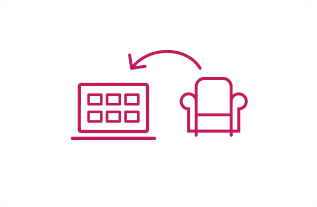
Single Product
Create detailed listings for individual items.
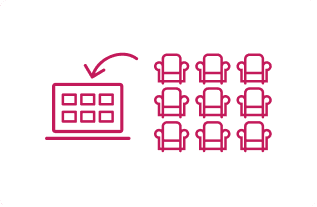
Bulk Import
Upload large catalogs using spreadsheets.
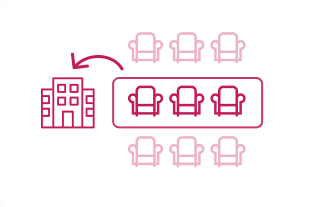
Brand Program
Bundle items sold only as a package (e.g., hotel room furniture set).
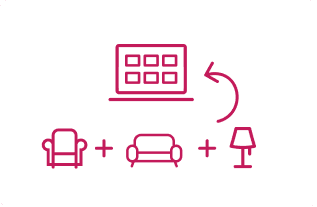
Value Combo
Group complementary products for upsells or flexible promotions (e.g., bathroom fixtures combo).
Once listed, add descriptions, attributes, and pricing tiers, then submit for approval. After verification, your product goes live and becomes visible to buyers across industries such as hotels, restaurants, medical facilities, offices, and more.
Fees and pricing
How much does it cost to sell on Hubsups?
Beyond your subscription plan, additional fees may apply depending on how you use the platform. The full fee schedule is provided during onboarding and is available anytime in your Vendor Dashboard.


Commission Fees
Fee charged by Hubsups as a percentage of the sales made by selling any product. Rates vary by product category and are confirmed during onboarding.

Lead Fees
Vendors listed in the Hubsups Service Vendor Directory pay a per-qualified lead fee. Amounts vary by service category and are detailed in the Vendor Fee Schedule.

Other Fees
Fees may apply for optional services such as onboarding support, catalog formatting, advertising campaigns, and expedited listing approval.
Smart pricing tools that maximize your margins
Get powerful pricing controls designed for bulk procurement and profitability with Hubsups. These tools help you move beyond simple price tags and strategically shape how buyers engage with your products:
Minimum order quantity
Set the smallest number of units a buyer can purchase. This prevents retail-style one-off sales and encourages bulk buying.
Bulk discounts
Incentivize large orders with structured savings, helping you clear inventory faster while rewarding high-volume buyers.
Maximum order quantity
Define the largest number of units per order. For bigger deals, this directs buyers to raise a Request for Quote (RFQ), giving you flexibility to negotiate and maximize margins.
Variant-based pricing
Assign different prices to product variants. For instance, a premium finish or color option can carry a higher price point, ensuring your catalog reflects true value.
Tier pricing
Offer discounted rates at higher purchase volumes. For example, 1–10 units at one price, 11–30 units at a lower price, and 31+ units at the best rate.
Value combos and brand program pricing
Bundle complementary products into value combos to encourage larger purchases. Align pricing with brand programs, like prototypical sets or standardized packages, to protect margins, ensure consistency, and reinforce your position as a preferred vendor in bulk procurement deals.
Vendor Dashboard – Your all-in-one command center
The Vendor Dashboard puts power at your fingertips. Once you register as a Hubsups vendor, you gain access to the Vendor Dashboard, which gives you centralized control for managing and scaling your business. From listing your first product to tracking orders, payouts, and promotions, everything you need to run your business is right here.


List your products & services
Create listings one at a time or upload in bulk via CSV or API.

Track quotes, orders, and returns
Respond to RFQs, monitor open orders, and manage return authorizations.

Boost visibility
Launch targeted ads, seasonal promotions, and discounts to reach more buyers.

Monitor earnings and payouts
View real-time earnings, track disbursements, and manage secure payouts.

Analyze performance
Access buyer trends, sales metrics, and fulfillment insights. Pinnacle users unlock advanced analytics and tailored recommendations.

Customize your storefront
(Pinnacle exclusive) Personalize your storefront with branding, featured content, and design elements.

Stay compliant and secure
Upload compliance documents, configure tax details, and enable Two-Factor Authentication for account protection.

Smart inventory management
Control stock visibility with thresholds and in-transit updates. Configure auto-accept limits, stock-out alerts, and restocking reminders.
Frequently Asked Questions
Once your vendor profile is submitted, verification usually takes 1–2 business days. After approval, your first product listing can be live immediately through the Vendor Dashboard.
You will need your legal business name, registered address, tax ID (EIN for U.S. vendors), government‑issued ID, valid business email, bank account details, business license, and compliance certifications (ADA, UL, fire rating, etc. if applicable).
Hubsups offers smart pricing tools: set minimum and maximum order quantities, tiered pricing, bulk discounts, and variant‑based pricing. These controls ensure buyers purchase in bulk and give you flexibility to maximize margins.
No. You can begin with a single product, a bundled set, or a value combo. Listings can be added one by one or imported in bulk later as your catalog grows.
Buyers connect through direct bulk orders, RFQs for custom requirements, or project procurement requests. All interactions are managed centrally in your Vendor Dashboard.
Yes. The Vendor Dashboard is your all‑in‑one command center — from product listings and inventory management to quotes, orders, payouts, promotions, and compliance documents.
Clear product details, strong images, compliance documentation, and competitive tier pricing make your listings more attractive. Enabling RFQs and responding quickly to buyer requests also accelerates conversions.
Vendors across the US and Canada trust Hubsups.
We’re helping vendors simplify sales, reach serious commercial buyers, and grow with less friction.
You bring the product. We bring the platform.